Advanced Aimbot (PID)
Proofcore's advanced aimbot may look complex at first glance, but it is designed to be highly customizable. With the right knowledge, you can tune it to be indistinguishable from human input.
How it Works
Proofcore uses a P.I.D. Controller system to calculate how the mouse moves when you hold the aim key.
What is a PID Controller?
Proportional, Integral, Derivative (PID) controllers are used in real-world scenarios—like quadcopters, heating systems, and cruise control—to stabilize a target with minimal error.
In Proofcore, this allows you to configure the path to the target. You can add curves, smoothing, and micro-adjustments to make the aim look "human" rather than robotic.
⚠️ Important Requirement
Enable Hardlock
For the Advanced Aimbot (PID system) to function, you must have the Hardlock option enabled in the menu. Without this, the settings below will do nothing.
The Three Components
1. Proportional Gain (P)
Controls the Speed and Aggression.
This is the main setting that affects the movement speed of the crosshair.
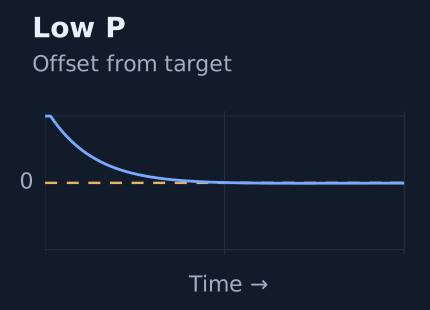
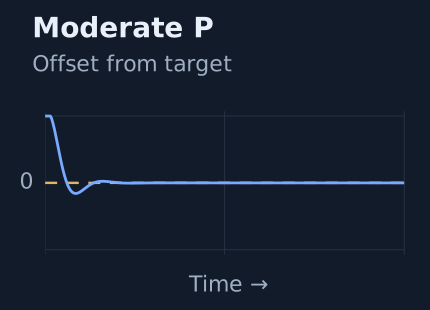
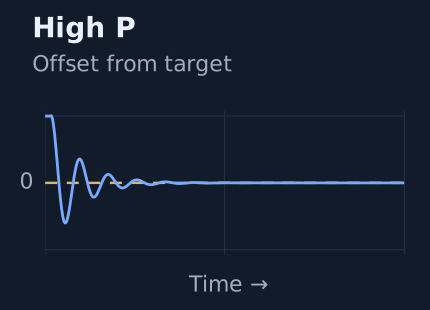
- High P: The aimbot reaches the target very quickly, but may "overshoot" (go past the target) slightly before correcting.
- Low P: The aimbot may feel unresponsive or take a long time to reach the target.
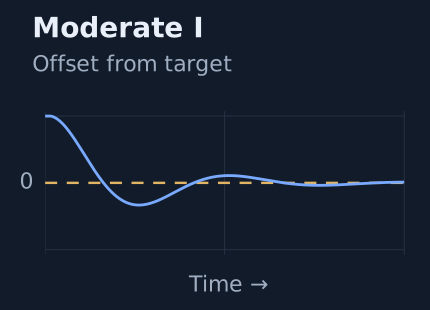
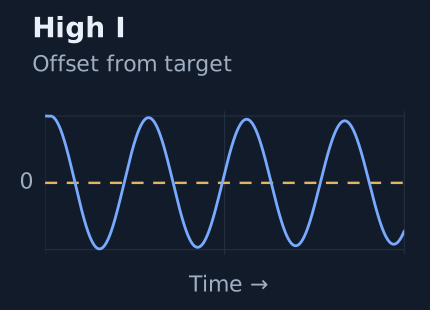
2. Integral Gain (I)
Controls the Smoothing and Oscillations.
This value handles small micro-corrections within the movement path.
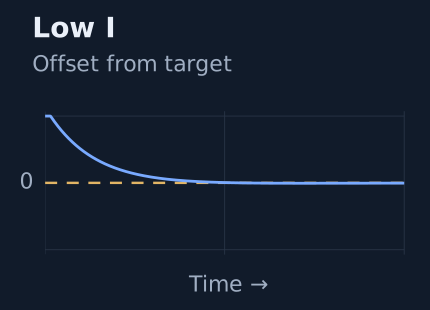
- High I: Creates more oscillations (mini curves/shaking) while aiming.
- Low I: Creates a straighter, more direct line to the target.
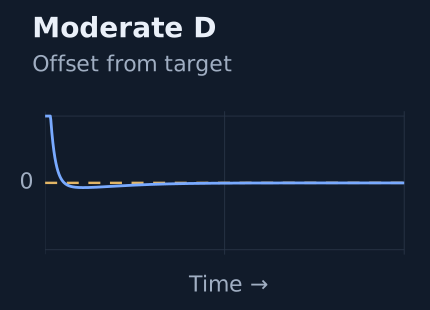
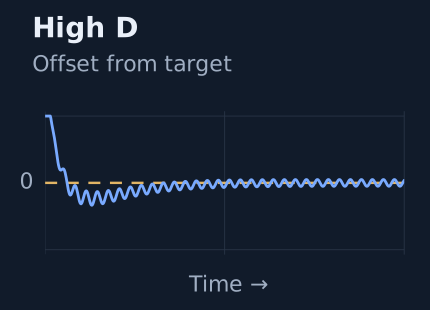
3. Deteriorate (D)
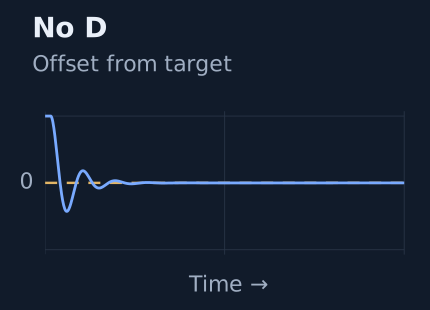
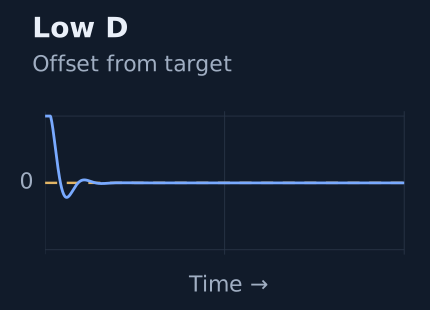
Controls the "Stickiness" over time.
Deteriorate makes corrections to the aimbot the longer you hold the key.
- Low D: The aimbot reaches the target with minimal errors.
- High D: The aimbot may feel like it never quite "sticks" to the target and is constantly micro-adjusting or shaking.
Configuration Guide
There is no single "correct" way to configure the PID controller; it depends on your playstyle. However, here are some standard formulas to help you get started.
Recommended Presets
| Preset | PProportional | IIntegral | DDeteriorate |
|---|---|---|---|
Rage / Strong AimFast and Linear | HIGH | LOW | LOW |
Semi-LegitBalanced Speed and Smoothness | MID | LOW | MID/LOW |
Full LegitSlow, curvy, and very human-like | MID | LOW | MID/HIGH |
Troubleshooting Sensitivity
Is the aimbot speed still wrong?
If you have maxed out the settings but the aimbot is still too sluggish, try increasing your In-Game Sensitivity.
Conversely, if the aimbot is too fast even on the lowest settings, try lowering your In-Game Sensitivity.