Kmode exception not handled
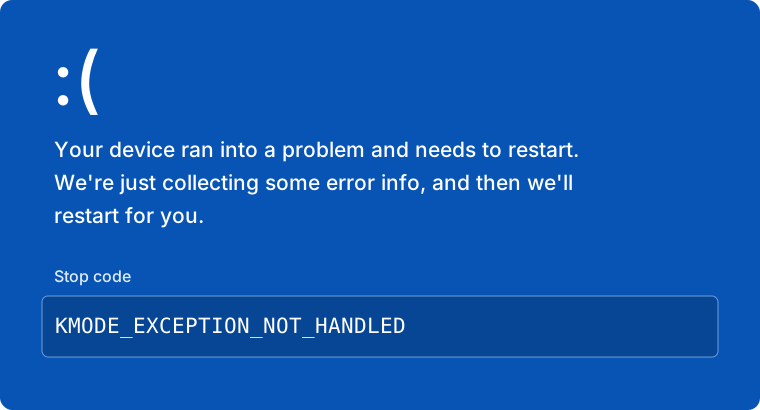
If you encounter a Blue Screen of Death (BSOD) or crash with the stop code KMODE_EXCEPTION_NOT_HANDLED (0x1E), it means a kernel-level conflict is preventing the cheat's driver from loading.
Common Cause: Outdated Version
Before changing your system settings, you must verify the status of the cheat.
Is the cheat updated?
A common cause for this crash is attempting to inject a cheat that is outdated.
Please check the #announcements channel in our Discord. If the cheat is currently marked as UPDATING, this crash is expected behavior. Do not attempt to inject until a new update is released.
Cause
Virtualization Interference
This error is caused by Windows Virtualization-Based Security (VBS) or Memory Integrity. To run the cheat, you must disable these protections so the loader can inject properly.
Solution
To resolve this, you must disable virtualization-based security features in both Windows and your BIOS.
Disable Core Isolation (Windows)
- Open your Windows Start Menu and search for "Core Isolation".
- Click on the system setting result (it may also be listed under Device Security).
- Find the toggle for Memory Integrity and turn it OFF.
- Restart your computer if prompted.
Disable Virtualization (BIOS)
You must enter your BIOS to disable hardware virtualization.
- Restart your PC and spam your BIOS key (usually
DEL,F2, orF10). - Navigate to CPU Configuration or Advanced settings.
- Find the virtualization setting and set it to Disabled.
Common BIOS Names:
- Intel: Intel Virtualization Technology, VT-x, VT-d
- AMD: SVM Mode, AMD-V
After disabling these settings, ensure you Restart your PC completely before attempting to inject the cheat again.
Need Assistance?
If you have followed all steps above and the error persists, please reach out to our support team.
Contact Support
Join our Discord and open a ticket. Please mention that you have already disabled Core Isolation and virtualization.